With an email template, your email always looks polished: with your logo, your signature and the right layout. SpinOffice fills in many details itself, such as the contact's name.
Which template do you get?
Creating a new email, replying to an email or forwarding it? Then SpinOffice automatically chooses a template. Which template that is has been set by your administrator for the whole organization. Read Action types: setting default templates
Choosing a different template
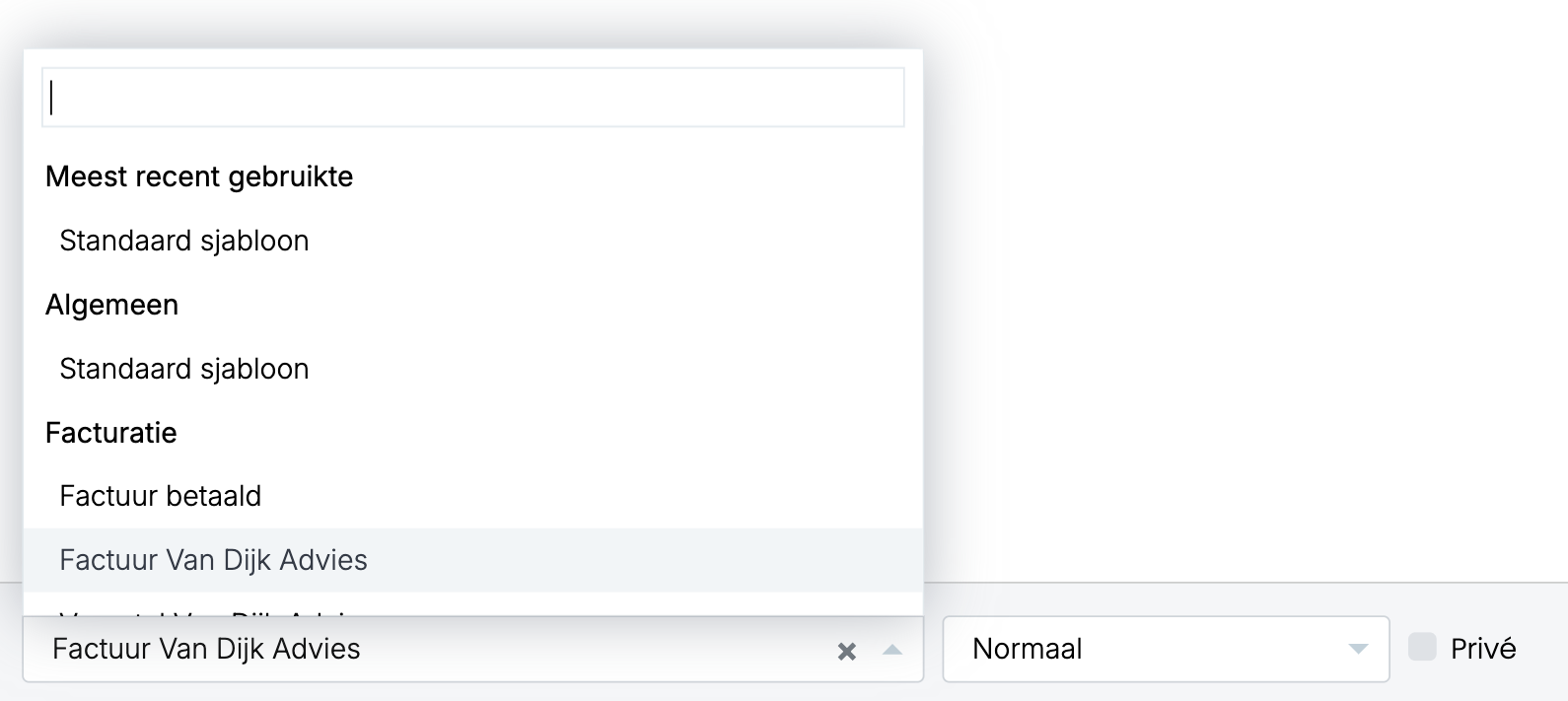
- In the email window, click the field with the template name at the bottom left.
- Choose a template from the list, or type part of the name to search. The templates you used most recently are at the top; below them they're grouped.
Switching while you're typing
Are you typing your text in the Content block? Then it stays when you switch templates, as long as the new template also has a Content block.
Please note: if the new template doesn't have a Content block, you lose your text. So preferably choose the template before you start typing. Read more: Adding the Content field to your email template
Always using a different template
Do you yourself want to email with a different default template than the rest of your organization?
- Open a new email.
- Click the gear icon at the top right. The Email preferences open.
- Click Default template, choose your template under Select template and close the window.
We don't recommend this as standard. If everyone uses the same template, everything your organization sends looks the same.
Creating or editing a template yourself?
Templates are created and edited by an administrator with the SpinOfficeAdmin or Manage email templates right. Read Creating and editing email templates
Was this article helpful?
That’s Great!
Thank you for your feedback
Sorry! We couldn't be helpful
Thank you for your feedback
Feedback sent
We appreciate your effort and will try to fix the article