Want an email to be sent at a later time, for example on Monday at 9:00? Then schedule it.
- Create a new email.
- Click the arrow next to Send.
- Choose one of the suggested times, or choose Send later and enter a date and time yourself.
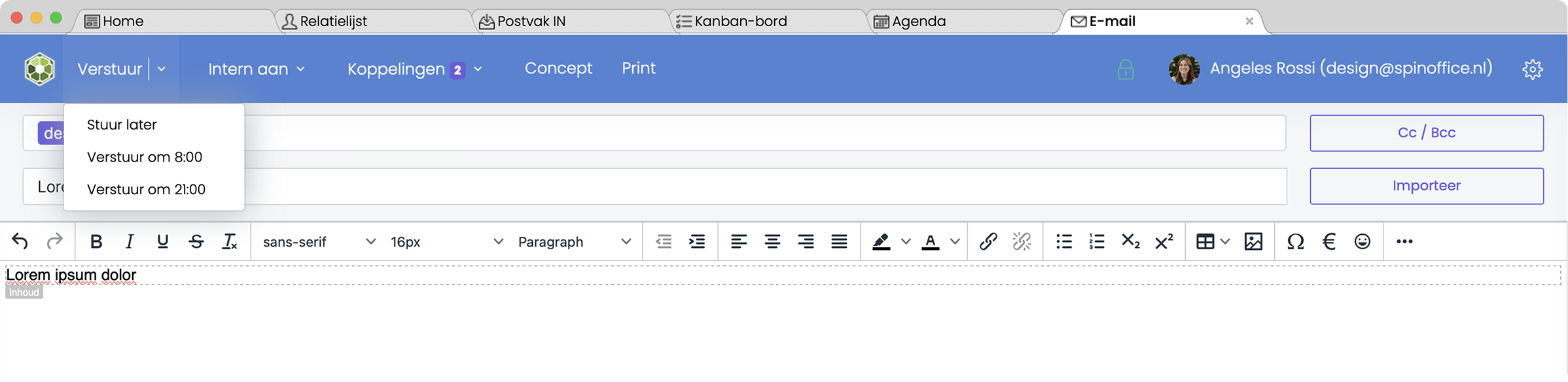
Until then, the email is in the Outbox folder, and after that it's sent automatically.
Tip: want to change the email after all, or send it now? Open it in the Outbox.
Was this article helpful?
That’s Great!
Thank you for your feedback
Sorry! We couldn't be helpful
Thank you for your feedback
Feedback sent
We appreciate your effort and will try to fix the article