Connect your Microsoft mailbox to SpinOffice once. Your emails then arrive in your Inbox and are automatically linked to the right contact.
Prefer to watch? The video below shows how it works (in Dutch).
Which do you choose: Office 365 or Outlook?
- Office 365: for a business Microsoft 365 account (work or school).
- Outlook: for a personal Microsoft account, such as Outlook.com or Hotmail.
Connecting works the same for both. You sign in to Microsoft once and give SpinOffice permission. SpinOffice doesn't store your password, but gets a secure access key from Microsoft.
Before you start
- Sign out of Microsoft in your browser, for example on outlook.office.com. If you're still signed in with another Microsoft account, SpinOffice connects that account instead.
- Allow pop-ups for SpinOffice. The Microsoft sign-in page opens in a new tab.
How to connect your mailbox
- Go to your Inbox and click the gear icon at the top right.
- Choose Email accounts and click +.
- Choose Office 365 or Outlook.
- Enter your email address and click Start.
- You see the message Settings found! Click Connect.
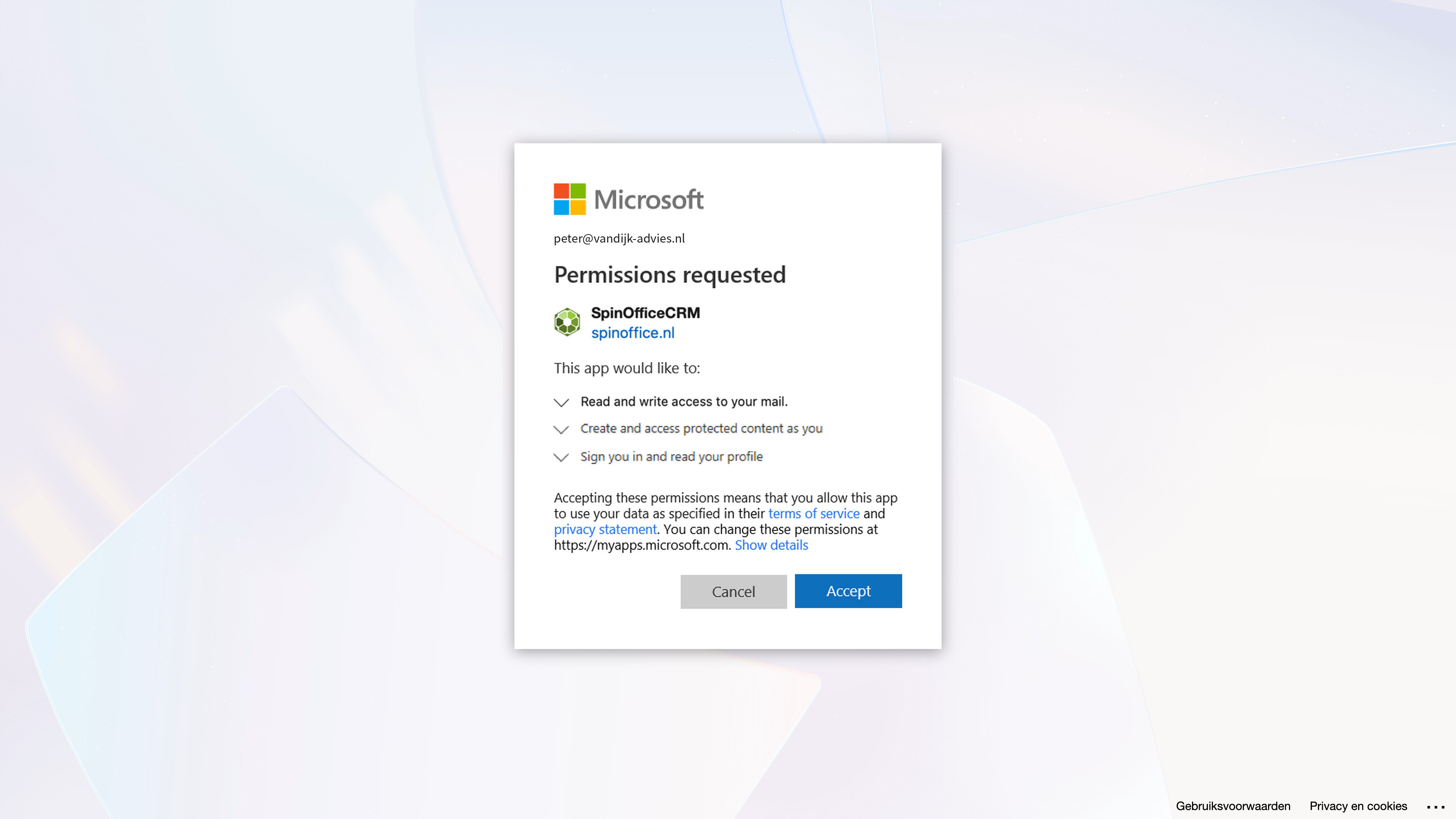
- The Microsoft sign-in page opens in a new tab. Sign in with your Microsoft account.
- Give SpinOffice permission to access your email and click Accept.
- You end up on the SpinOffice website. Go back to SpinOffice: your mailbox is connected.
You can also get to the email accounts via the Home dashboard or via Administration > Email > Email accounts.
"Need admin approval" message?
Then your organization's IT administrator first has to approve SpinOffice in Microsoft 365. Read how: 'Admin approval required' message when connecting Microsoft 365
Not working?
- The Microsoft sign-in page doesn't open? Check whether your browser is blocking the pop-up.
- The wrong account is connected? Sign out of Microsoft in your browser and connect again.
- More solutions: Can't connect your email account
What happens next?
Your emails arrive in your Inbox and are linked to the right contact based on the email address. Read also: Which emails does SpinOffice retrieve?
Was this article helpful?
That’s Great!
Thank you for your feedback
Sorry! We couldn't be helpful
Thank you for your feedback
Feedback sent
We appreciate your effort and will try to fix the article