Record a phone call or an agreement with a contact in a call note or memo. It goes into the contact's archive, so you and your colleagues can find it later.
Creating a call note
- Open the archive of the contact you've just spoken to.
- At the top, click Call in for an incoming call or Call out for an outgoing call.
- Write down what was discussed.
- Want a colleague to see it too? Add them as a recipient.
- Save the note.
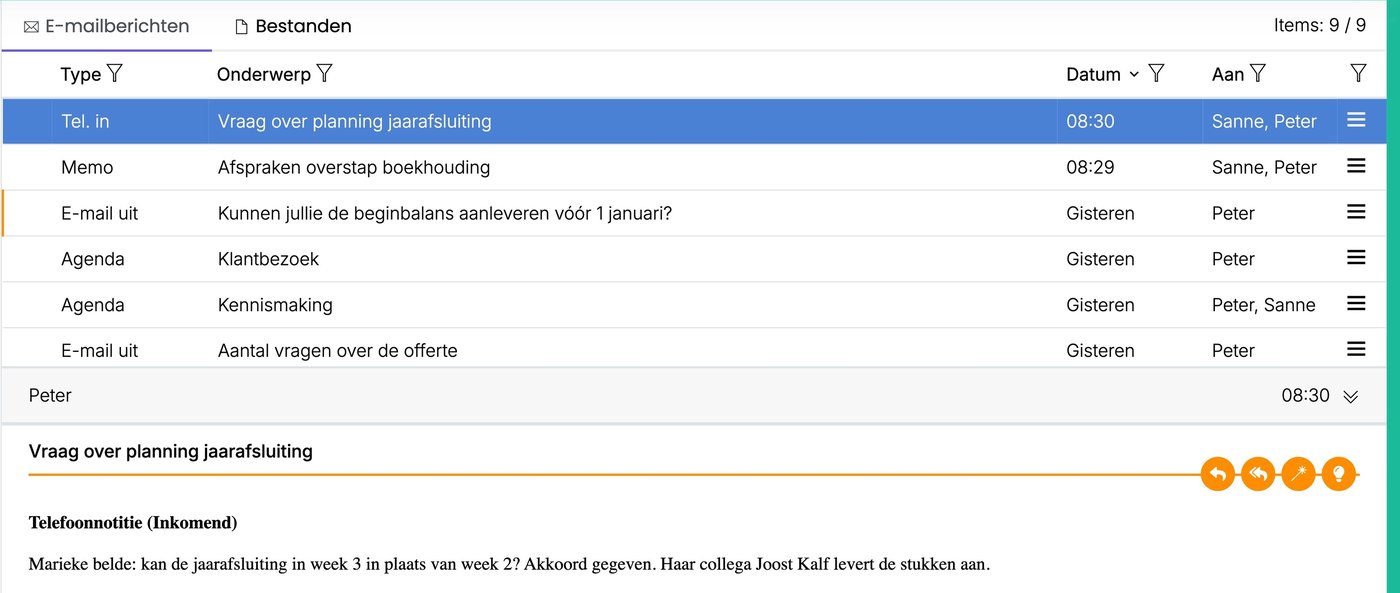
Creating a memo
A memo works the same way. Click Memo at the top. Use a memo for anything you want to remember about a contact, for example agreements made or a decision.
Good to know
- A colleague you add receives the note or memo in their Inbox.
- You can add an attachment, choose a priority and link the note to a folder.
- Once saved, you can't change a call note or memo, just like an email. Want to add something? Create a new one.
- You change the standard text at the top of a call note via ☰ > Administration > Email templates. Which template is used per type is set in Action types.
Tip: don't put passwords or login details in a memo. Anyone who can see the contact's archive can read them.
Was this article helpful?
That’s Great!
Thank you for your feedback
Sorry! We couldn't be helpful
Thank you for your feedback
Feedback sent
We appreciate your effort and will try to fix the article