You can sync your calendar in SpinOffice with the calendar on your phone, tablet and computer. How you do this depends on the calendar you use.
You use Microsoft 365
Sync your calendar with Outlook. Your appointments then appear on every device where you use Outlook or your Microsoft 365 account. You don't need to set anything else up on your phone.
Read how: Syncing your calendar with Microsoft 365
You don't use Microsoft 365
Then use CalDAV. This is a standard way of syncing calendars. It works with the calendar app on iPhone, iPad, Mac and Android.
- CalDAV is off by default. Ask us to turn it on via support@spinoffice-crm.com.
- Then go to ☰ > Administration > User settings > Synchronization and open the CalDAV, CardDAV tab.
- Tick Sync calendar, enter your SpinOffice password to confirm and click Save.
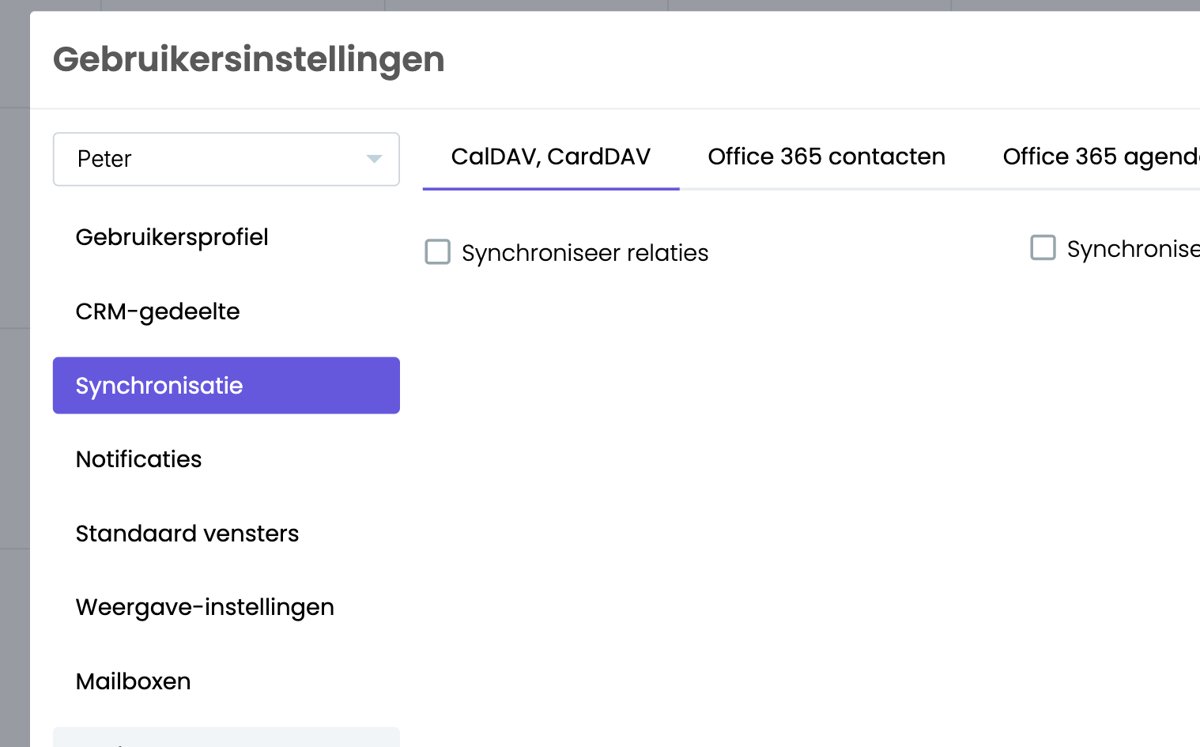
- You receive an email with instructions to activate CalDAV. Follow those first.
- Then add the account on your device:
Your appointments then sync both ways.
Each user turns on CalDAV themselves, because you need to enter your own password. An administrator can't do it for a colleague.
Don't use both
Use Microsoft 365 or CalDAV. With both, every appointment shows up twice. Switching from CalDAV to Microsoft 365? Turn CalDAV off in SpinOffice first and remove the CalDAV account from your devices.
You also see your appointments in the SpinOffice app, without syncing anything. Read more: SpinOffice on your phone
Was this article helpful?
That’s Great!
Thank you for your feedback
Sorry! We couldn't be helpful
Thank you for your feedback
Feedback sent
We appreciate your effort and will try to fix the article