The Kanban board shows all your tasks in one overview, arranged by when they need to be done.
Opening the Kanban board
- In the browser: click the task icon in the left bar (below the Inbox).
- In the desktop version: choose ☰ > Go to > Kanban board.
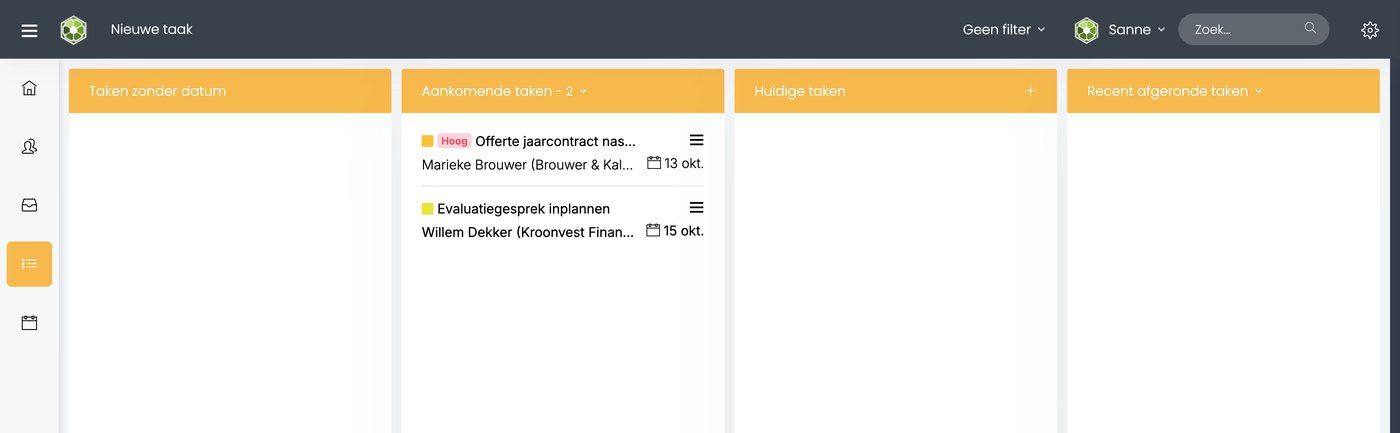
The columns
| Column | What's in it |
|---|---|
| Tasks without date | Tasks without a date. |
| Upcoming tasks | Tasks with a date in the future. Use the arrow to choose how far ahead you look. |
| Current tasks | Tasks that need to be done today, or are already overdue. |
| Finished tasks | Tasks you have finished. Use the arrow to choose the period. |
The number after the column name is the number of tasks in that column.
What do you see on a task?
- The colored square is the activity, for example Sales.
- A red High label means high priority.
- Below that are the contact and the date.
Click a task to open it. Use ☰ on the task for more options.
Moving or finishing a task
Drag a task to another column. If you drag it to Finished tasks, it's finished. You can also open a task and click Finish.
Searching and filtering
- Use Search... at the top right to search by subject, contact and text.
- Use the filter to filter the tasks.
Viewing a colleague's board
Click your own name at the top right and choose a colleague. You then see their Kanban board.
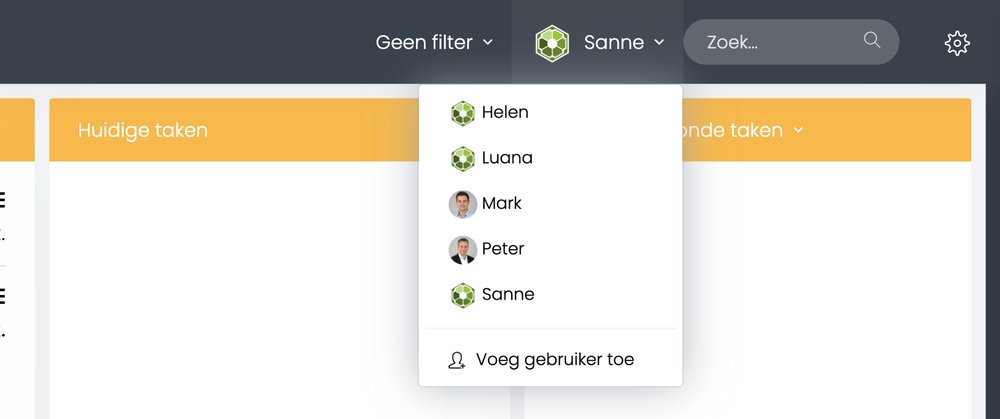
You only see the boards colleagues share with you.
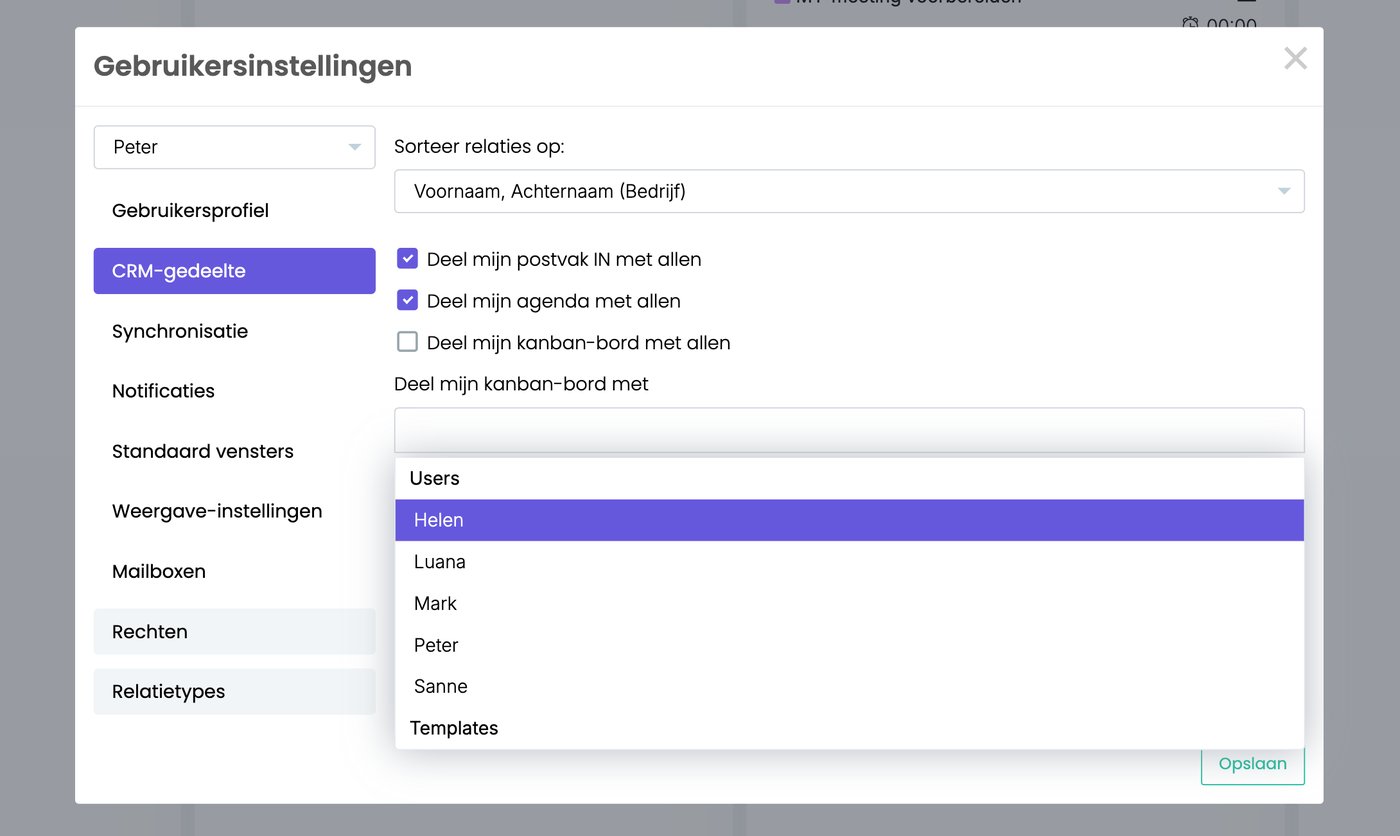
Sharing your own board
- Go to ☰ > Administration > User settings > CRM part.
- Tick Share my kanban board with all. Or choose only the colleagues who may see it.
- Click Save.
Printing
Printing the Kanban board isn't possible yet. We're working on it.
Read also: Creating and assigning tasks and Recording time on a task
Was this article helpful?
That’s Great!
Thank you for your feedback
Sorry! We couldn't be helpful
Thank you for your feedback
Feedback sent
We appreciate your effort and will try to fix the article